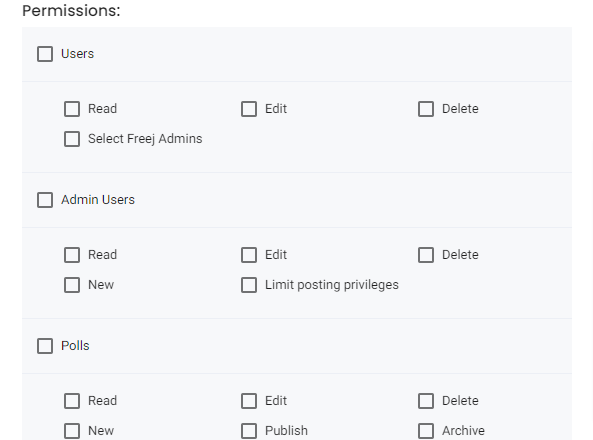
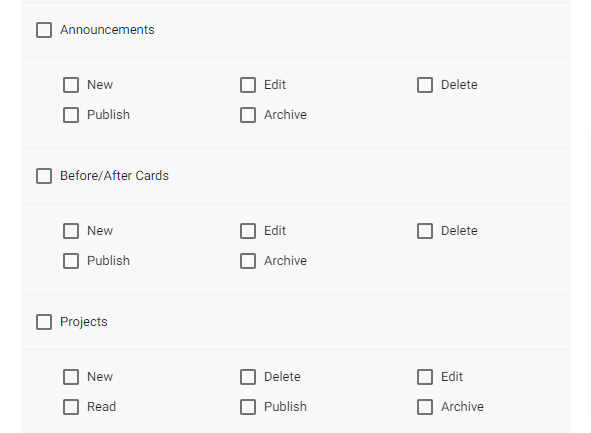
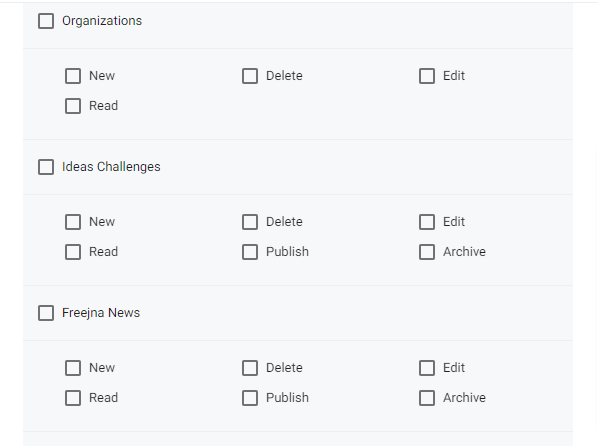
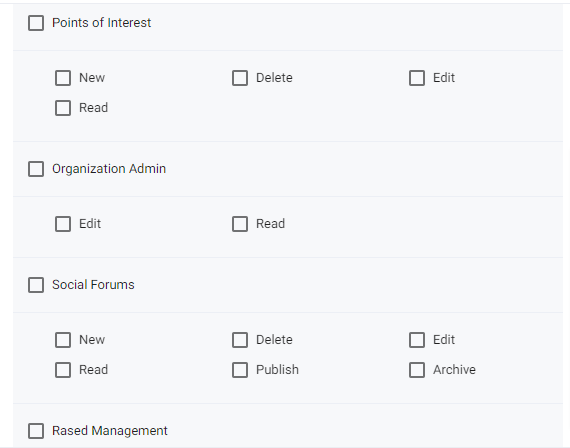
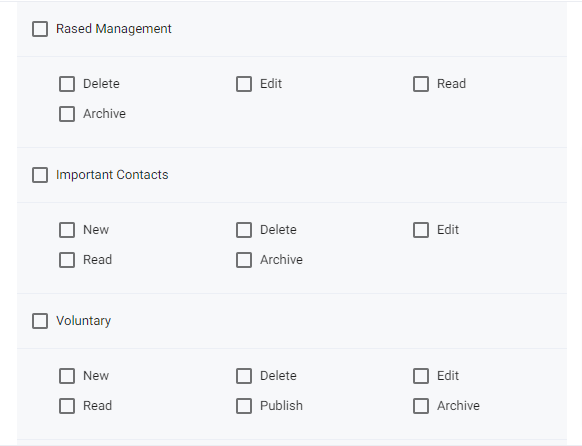
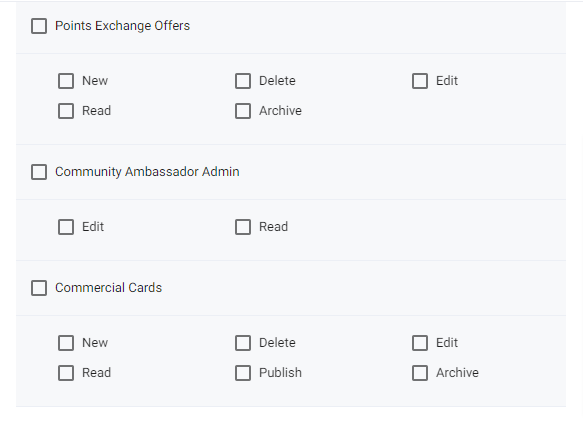
In this section you can define the roles in Freejna and the permeations for each roles this list view page for roles contain (title – the name of the role , actions – edit and delete )

- admin user can switch between languages (English and Arabic ) , with ? sign user can explore the roles Docs .

- Admin user can add new role by clicking add role button and fill information
- This action helps admin to export roles list as CSV file
- admin can search for role name in Arabic or English
- administration role can’t be edit either deleted(only view)
- edit role through this action user can edit role name and roles permeation
- delete role user can delete role by clicking this icon and confirming the delete
Create new role by clicking this button user can add new role user can create new role by adding it is title then click the check box to allow the permeation e.g. if the user select only admin check box that’s mean any user has this role allow to view only admin section and so on . (All permeations list viewed above )