Freejna admin user can create a “points of interest” related to a neighborhood by clicking “create point”, then he will be redirected to the “points of interest” Form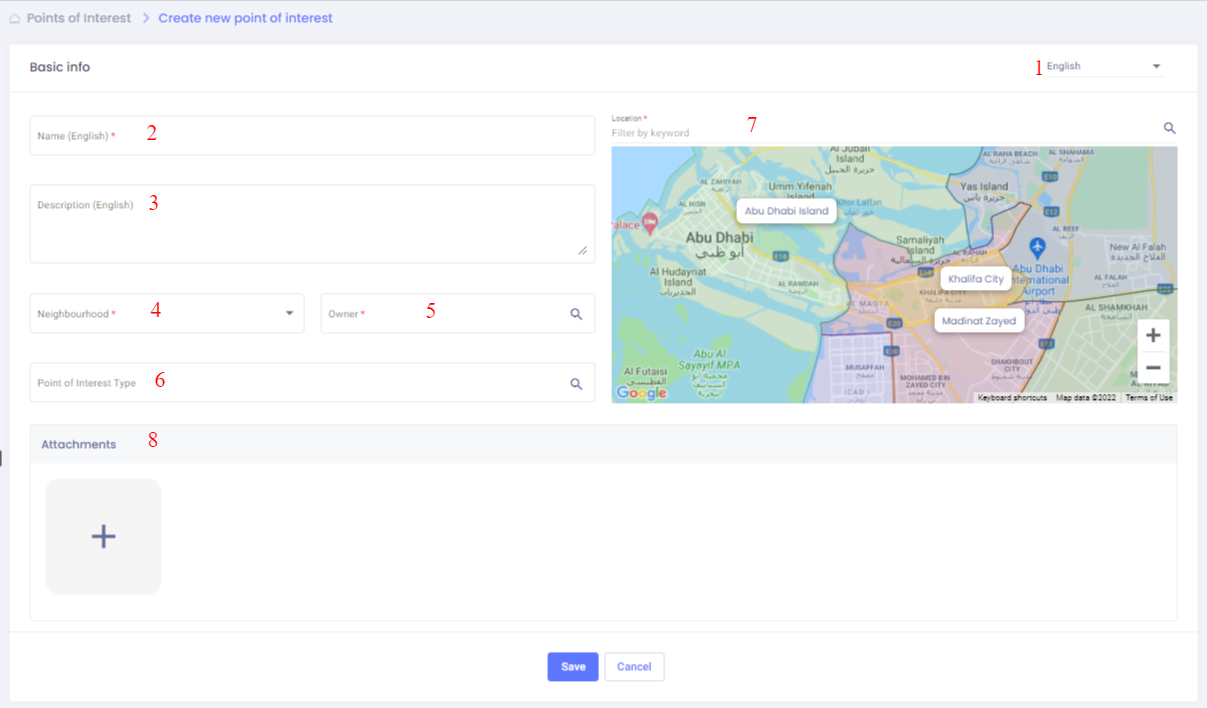
In this form the admin enters the point data which are:
- Admin user can switch between languages (English , Filipino , Urdu and Arabic )to fill the information in all languages (one language must be filled)
- Name (required) : the admin can add title based on selected language in option1
- Description (required) : the admin can add description based on selected language in option1
- Neighborhood(s) (required) : which is a dropdown lists all of the neighborhoods where the user can select one or more to publish card in.
- Owner (required) : the organization that owns the point
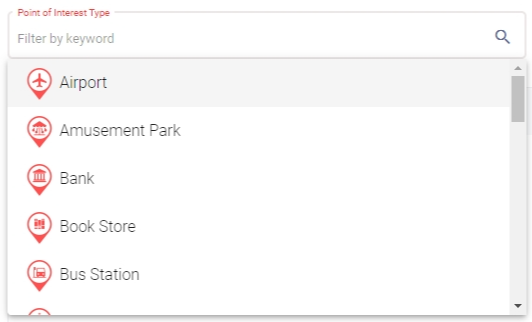
- Type (required) : The type of interest of point must selected from the list also admin can use search filter to got fast result
- Location (required) : admin can choose location by click on the place in the map or filter using keyword search about the place
- Attachments (optional): the admin has option to add maximum 3 image descript interest of point
After admin fill information and save changes the interest of point view appear