Freejna admin can edit poll data by pressing the edit icon in the poll details in case “Draft” or convert published to “Draft” then edit and republish again, edits can be done just in case the (current date and time is less that the poll date and time).
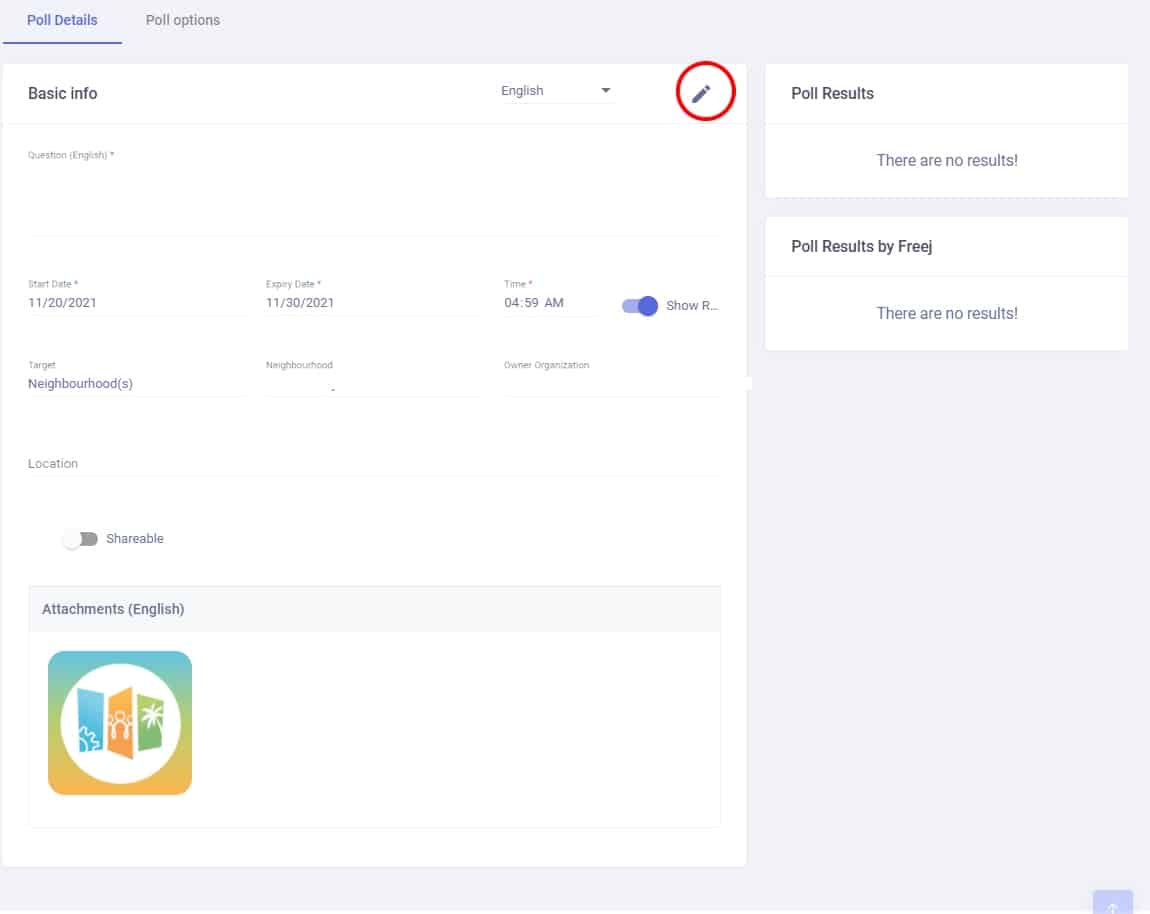
- In the case of Expired Poll, then the admin can not edit the poll and a view option appears so the admin can click on it.
- By clicking on the view option the admin would be redirected to the Poll Details page without having the save option
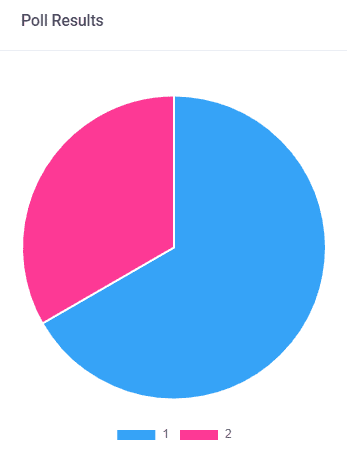
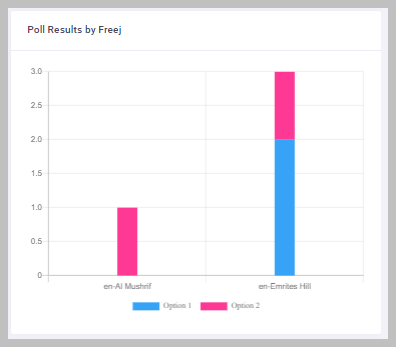
- The admin can see the poll responses by clicking on an expired poll name and when he is being redirected to the poll view mode he can see
- a pie chart that shows the results.
-
- column chart to show the votes in each freej
- When the poll is expired and published, the admin can create poll results by pressing “Add poll responses” so the admin would be redirected to the create poll responses page