Freejna admin user can create a social forum related to a neighborhood by clicking “Create social forum”, then he will be redirected to the social forum Form
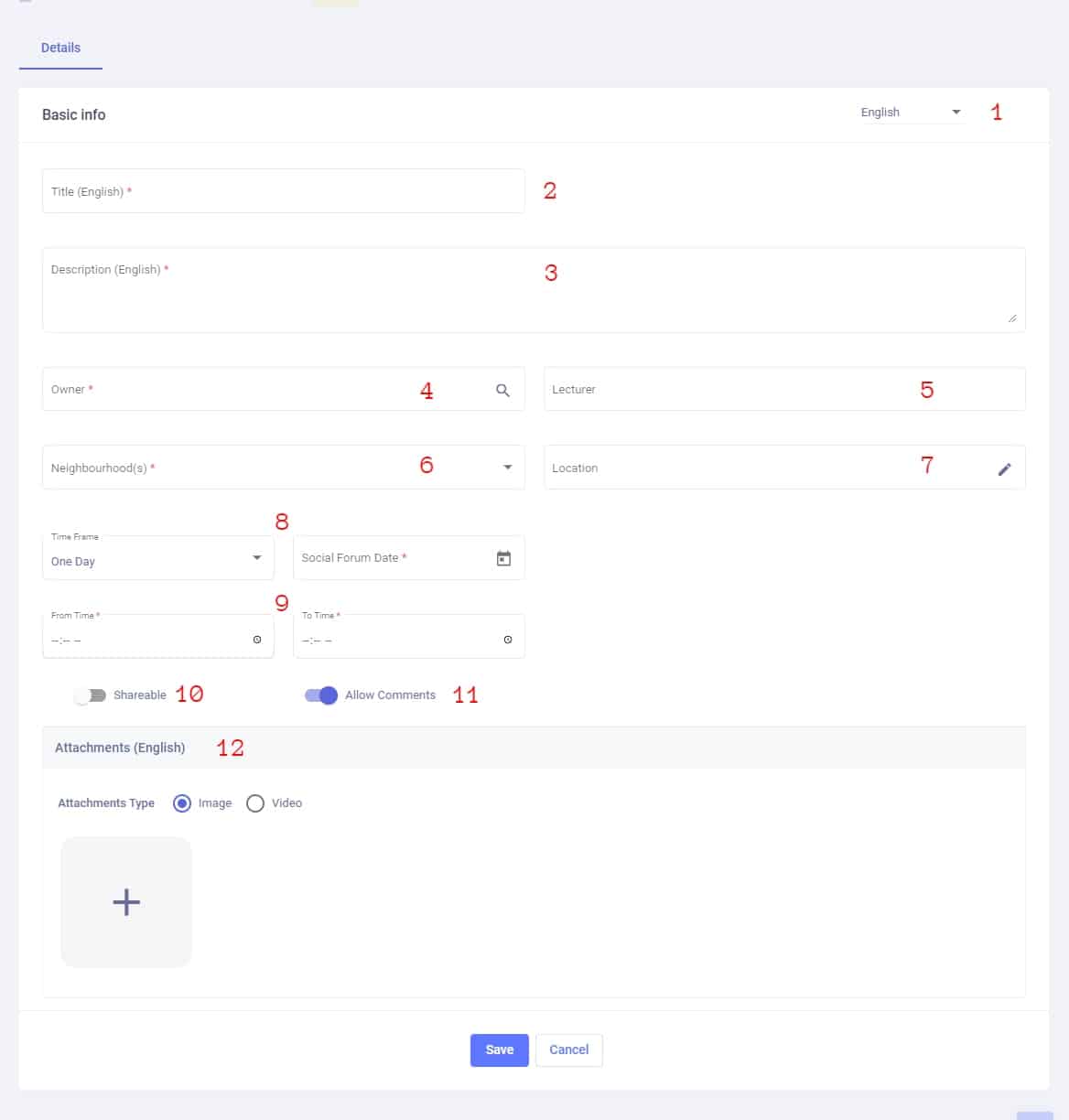
In this form the admin enters the social forum data which are:
- Admin user can switch between languages (English , Filipino , Urdu and Arabic )to fill the information in all languages (one language must be fill)
- Title (required) : The admin can add title based on selected language in option1
- Description (required) : The admin can add description based on selected language in option1
- Owner (required) : is the Organization that owns the social forum
- Lecturer (optional) : is the person who represent the social forum
- Neighborhood(s) (required) : which is a dropdown lists all of the neighborhoods where the user can select one or more to publish the card in.
- Location (optional) : allow admin to add the place where the “social forum” happens.
- Time Frame: Here we have two cases
- One Day: it refers that the social forum happens just for one day so user can here adds an forum date

- Multiple Days: This case refers that the social forum can happen for multiple dates and here the user should fill the following fields :
- Start Date (required): the start date of an social forum and it should be greater than the current date
- End Date (required) : the end date of an social forum
- Occurrence Days (optional) : It is a dropdown shows a list of week days , so user can select the day(s) where the social forum happen

- One Day: it refers that the social forum happens just for one day so user can here adds an forum date
- From Time (required) : is the time where the social forum starts – To Time(required) : is the time where the social forum ends
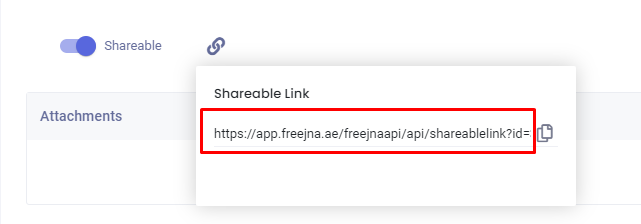
- Shareable (optional) : admin user can control the shareability of the social forum
- allow comments (optional) : admin user can control the Allowing comments of the social forum
- Attachments(required) : the admin must add the an attachment (image or video) based on selected language in option1 to the social forum :
- uploading an image (user can upload one image)
- adding video
- adding YouTube URL
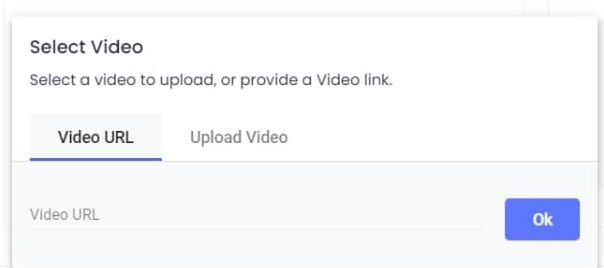
- uploading video
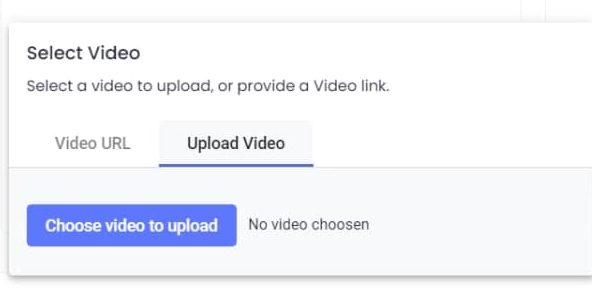
- After save card change admin can display video and modify it speed
- adding YouTube URL
- uploading an image (user can upload one image)

By clicking save button the social forum status saved as a draft and in this case admin user can edit the card.
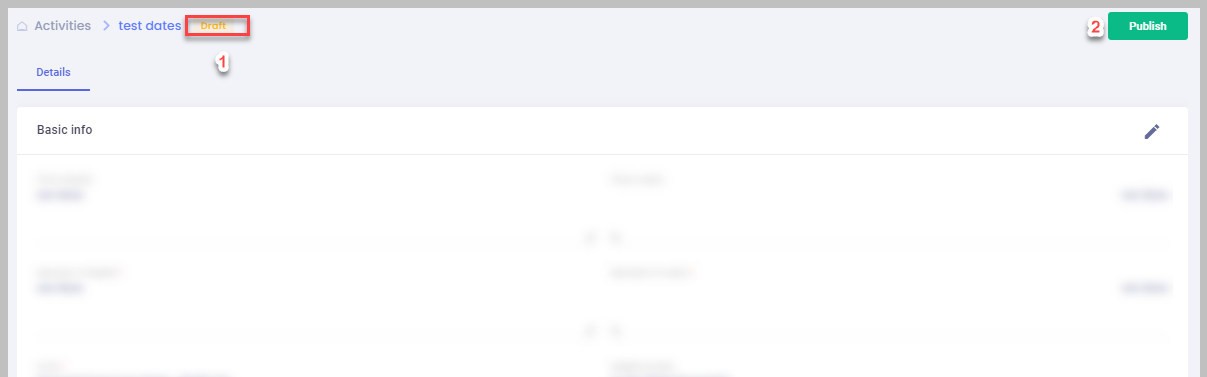
Admin user can publish the card directly to be viewed by App users, published card status will be set to “Published”.
Admin user can archive and social forum to be hided from social forum list and will not appear for App user.
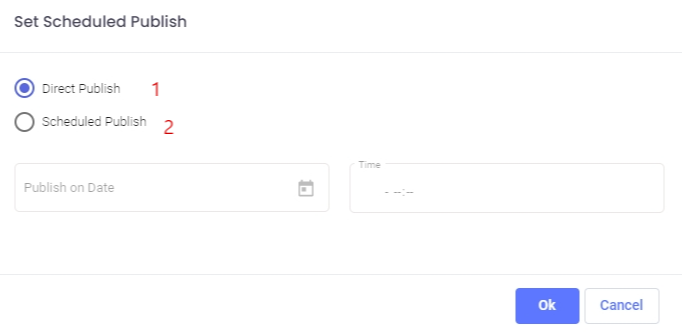
There are two ways for admin to publish the card
-
- Direct publish: this option will directly publish the card and it will appear for the App user
- in case user choose this option the card directly publishes and can then convert it to draft.
- Scheduled publish : this option give admin the ability to schedule the card based on specific time range
- if admin decide to schedule publish. edit or cancel scheduled publish button appear
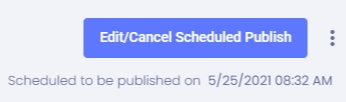
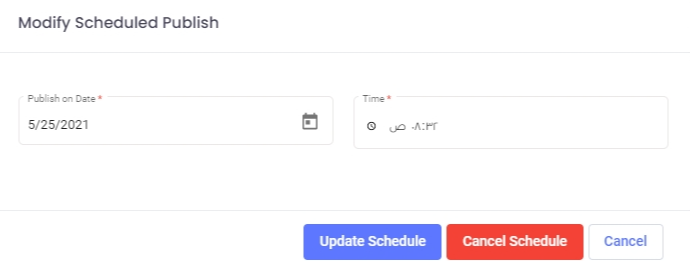
- Admin can either change schedule time and update or cancel schedule publish which return him to previous publish button
- if admin decide to schedule publish. edit or cancel scheduled publish button appear
- Direct publish: this option will directly publish the card and it will appear for the App user
- In case that the user marks the social forum as an archive then it wont appear in the App nor in the social forum list.
- User can only access the archived record from the Entry status filter in the social forum list.
if published card end date expired. an extend expiry date button appear which help admin to extend card time
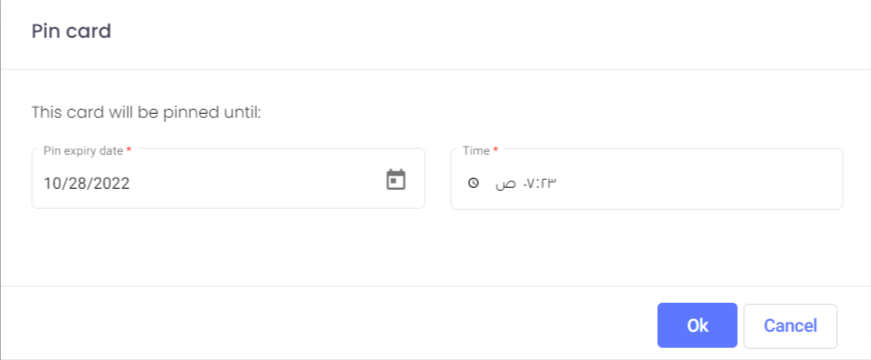
also, card can be pinned in app timeline by using this feature, Admin can fully control the date and time for pinning the card
After Creation if the social forum is shareable then a generation link will be created so the admin can share the link with others to open it in the App